Friends, AI-Generated Viral Princess Video Editing is becoming one of the biggest trends on Instagram and Facebook. If you are active on social media these days, you must have seen the trending “Princess AI” videos everywhere. Many creators are using AI tools to create beautiful princess-style photos and videos, which look very attractive and cinematic. Because of their unique style, these videos are going viral very quickly on social media platforms. Many people want to create these AI Princess videos, but they do not know the correct method to make them. In this article, I will explain step-by-step how to create a viral AI Princess photo and convert it into a video easily using AI tools.
Details Of Trending Beautiful Princess Video Editing?
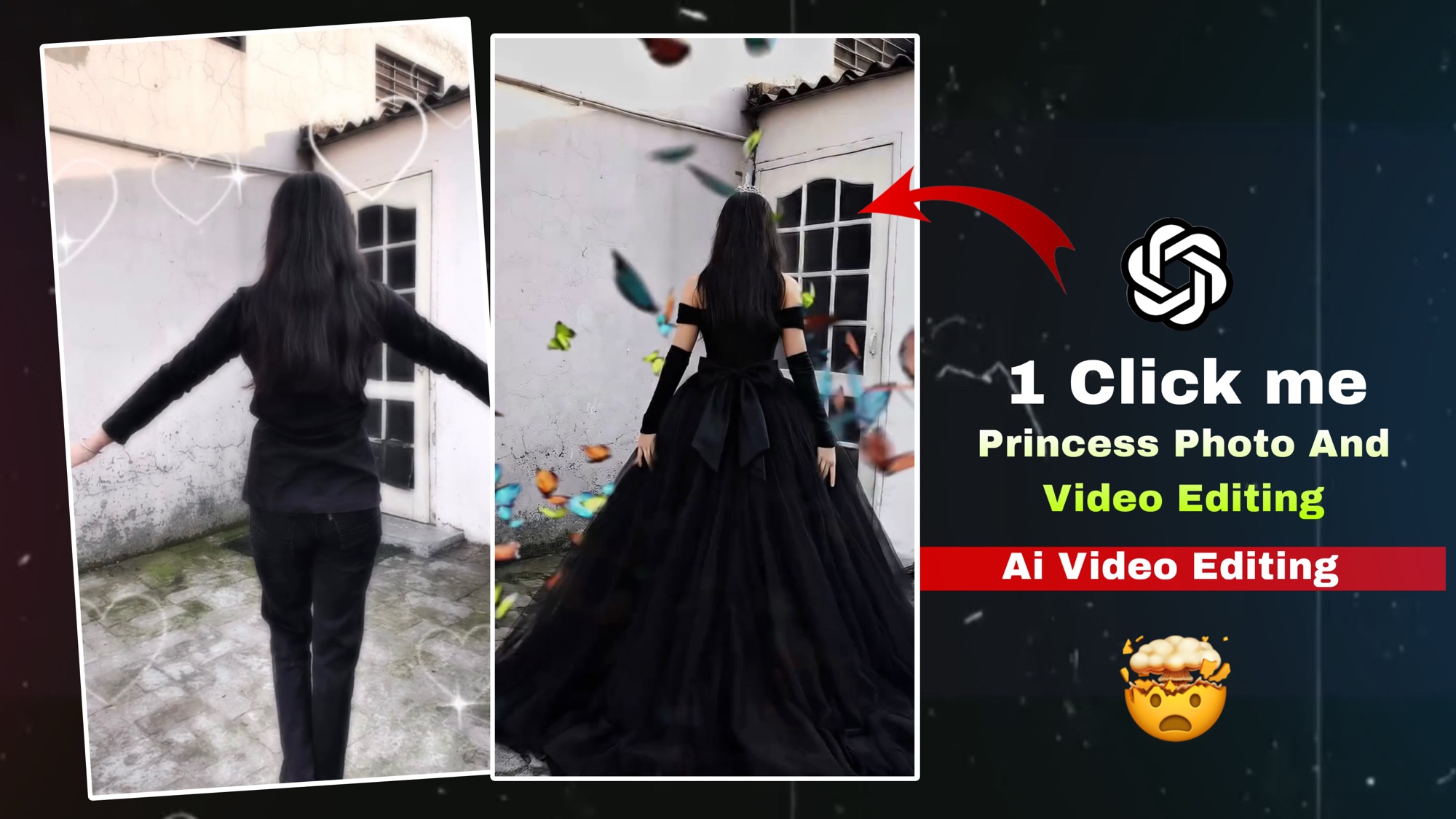
My friends, you have likely already gained at least some insight into the world of AI-generated Princess video editing. Now, many of you are probably wondering: what exactly is so special about this video that it has gone so viral? Let me explain: it was created with the help of an AI tool. In the video, a girl is seen extending her arms outward; the moment she stretches her hands out to her sides, she transforms into a princess within just a few seconds. Upon seeing this type of video on social media platforms, most people are left wondering how on earth it was created. So today, I am going to teach you how to create similar videos and photos yourself. If you wish to create these images, I simply request that you carefully read the article provided here and follow the steps outlined below.
What Is In The Ai Video Editing?
Friends, as mentioned earlier in this article, we have already discussed the AI-generated Princess video trend. Now let’s focus on its video quality, editing style, and the AI tools used to create it. The quality of this video is created in high resolution, which makes the visuals look very sharp, clear, and professional. In addition, cinematic color grading is applied to enhance the overall look, making the video more attractive and engaging for viewers on social media platforms.
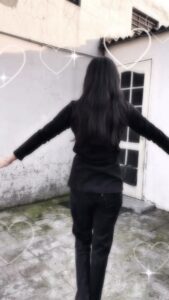
Use the uploaded black princess ball gown dress as the clothing reference.
Replace the clothing of the person in the uploaded photo with the same elegant black royal princess gown.
Keep the same person, same face, same body shape, same pose and same hairstyle exactly as the original photo.
The dress should be a large royal ball gown with a wide flowing skirt, detailed fabric texture, soft folds and cinematic elegance.
Make the clothing fit naturally to the body with realistic fabric physics.
Keep the background unchanged. Ultra realistic photography style, natural lighting, cinematic look, sharp focus, high detail, 8K quality
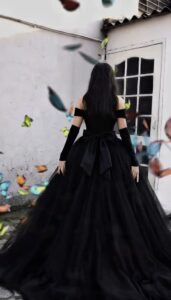
Ultra-realistic cinematic shot of a beautiful princess wearing a long elegant black royal gown, seen from behind. The princess slowly begins walking forward in a graceful slow-motion movement. Her long black hair gently sways with the motion while the large flowing gown softly moves and drags across the ground with natural fabric physics.
The princess walks like a royal queen with calm, elegant posture. Her arms move slightly and naturally while walking. The long black dress fabric waves subtly with each step, creating soft cinematic motion. The ribbon bow on the back of the dress moves slightly with the breeze.
Environment: Outdoor courtyard with soft daylight, white wall and vintage door behind her. Natural lighting with soft shadows.
Camera: Cinematic rear tracking shot following the princess from behind. Slow camera movement. Shallow depth of field.
Motion: Natural human walking motion, slow motion elegance, realistic dress physics, hair moving gently with air. Style: Ultra-realistic cinematic look, smooth slow motion, high detail, 4K HDR, vertical 9:16, natural movement, no text, no watermark.
How To Use Your Trending Beautiful Princess Video Editing?
Friends, I have already provided the details regarding this AI Princess video above; now, let’s learn how to actually create this AI Princess video. Before we begin, you need to take a photograph of yourself using your regular smartphone, with both of your hands raised upwards. You can take this photo either at home or in any open outdoor space. Please ensure that you take the photo while standing upright; otherwise, the resulting image will not turn out properly. If you wish to create this viral Princess video, you must carefully read the article above and diligently follow the steps outlined therein; otherwise, you will encounter difficulties and be unable to create your video. So, let’s proceed to learn—step-by-step below—how to generate this Princess image with the help of a specific prompt.
- Now, let’s learn how to transform your photo into a princess-style image.
- First, you need to visit our website.
- There, you will find the post for this
“Princess Photo” feature listed as the very first item; simply click on it. - Next, scroll down and copy one of the provided prompts.
- Then, click on the “Al Generate” option located just below it.
- After that, upload one of your photos along with the prompt you copied.
- Once this is done, you will need to wait for a short while.
- Soon, your transformed photo will be ready.
- Finally, simply click on the image to save your photo.
Create your Video Grok Editing?
- The Princess photo has now been generated; next comes the step of converting the photo into a video.
- Once the photo is ready, you need to copy the prompt provided there to proceed with the video conversion.
- Next, you will see a “Generate Video” option; simply click on it.
- Once all of this is done, a Grow Al tool interface will open up before you.
- You then need to upload your photo along with the prompt to that interface.
- Simply wait for a short while, after which your video will be ready.
- Finally, click on your video and download it from the top of the screen.
Conclusion
So, friends, in the article above I have explained step by step how you can create a “Princess” photo and then convert it into a video easily. By following these steps, you can also make your own beautiful AI Princess video and share it on social media.